this interface is so frustrating. The advice given by the chatbot is not at all helpful
Can you explain a bit more.
If I understand, you are saying you have started a chat, but have not created a project (Vercel deployed), meaning the chat is just a draft. Correct?
If it was a recent chat you should see it in recents {see image}. Otherwise, click on Library and in there you will see all chats that are not in a folder (assuming you have not used a folder yet) and then you should see it there {see second image}.
Let us know if this helps / solves or if you are still having issues locating your chat.


1 Like
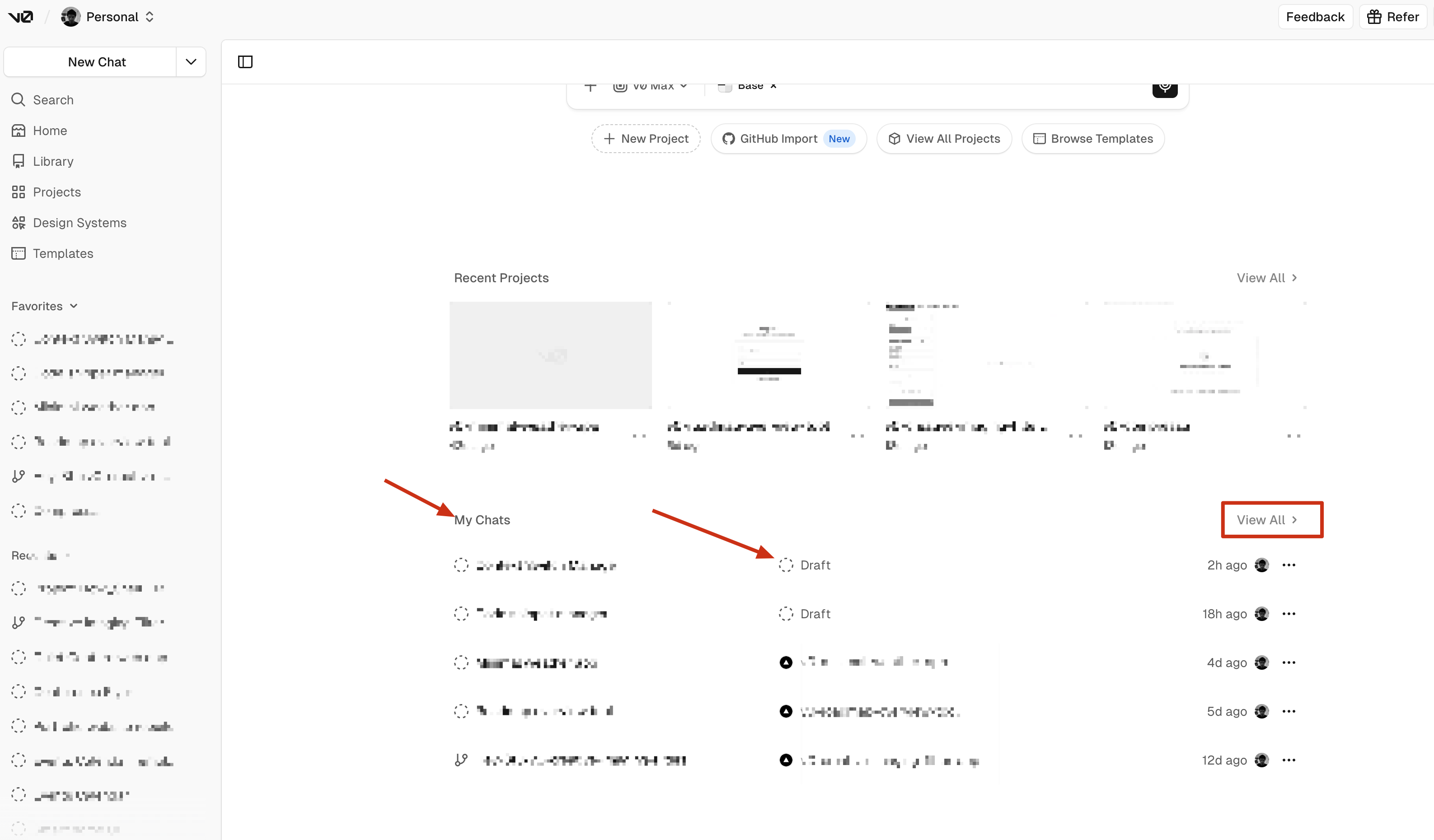
Also, from the “main” screen you can find all chats if you scroll down and / or click on “view all” {see image}.
I have a similar problem. After not working on this project for a while I came back to it and there is a chat with code but the code won’t render and when I ask the chat to restart the app it tells me it can’t and I should restart a new chat
1 Like
Did you try duplicating the chat into a new chat and then start working in it?
Yes. Even from the duplicated one keeps saying it can’t do what I want and I should try duplicating from a new chat.
have you push it to git and then imported the git to a new project and tried that way?
Nope. I was hoping folks here would have a more trivial fix than this.
are you able to share screenshots / video of this happening? Or better yet send the chat link for devs to look into possibly.
Interestingly enough despite no project being visible when logging from mobile on v0.app, i found my project easily on vercel.com and was able to restart it
1 Like
Nice! Great to hear that.
Quick question, and maybe I missed this fully from the start, but was all of this happening on mobile and not desktop? Meaning the project not being visible, etc. And when you say mobile, do you mean accessing v0 via mobile or were you using the v0 mobile app?
Just curious.
I meant the V0 website from mobile.
Hey! To help debug your v0 project, could you share your v0 chat link?
It looks like https://v0.app/chat/... — you can copy it from your browser’s address bar while in the chat.
You’ll also need to unlist the chat so our team can view it — here’s how: Sharing | v0 Docs
This helps the team reproduce what you’re seeing much faster. Thanks!