
Hi everyone, I'm Akshit. I built PortlessBar, a small native macOS companion for Portless.
Portless gives local development apps named URLs. PortlessBar puts your registered apps in the menu bar, so you can open them without looking up the URL in Terminal. There's also a switch to connect or disconnect the proxy without stopping your development servers.
You keep running your apps through the Portless CLI as usual. The companion handles the everyday controls: opening apps, toggling the proxy, and launching at login.
It's written in Swift, free, and open source under Apache 2.0. No account or analytics. The download is signed and notarized and supports Apple Silicon and Intel on macOS 14+.
You need an existing Portless installation, with its initial proxy and certificate setup completed in Terminal. Then install the companion:
brew install --cask akshitkrnagpal/tap/portlessbarSource and setup · Download for macOS
The integration reads Portless's state files and process arguments. Compatibility as Portless evolves is one area I'd appreciate feedback on. PortlessBar is an independent project and isn't affiliated with Vercel.
If you're using Portless on a Mac, which controls would you want within reach in the menu bar?
https://www.youtube.com/watch?v=5AnAOrGhVHw
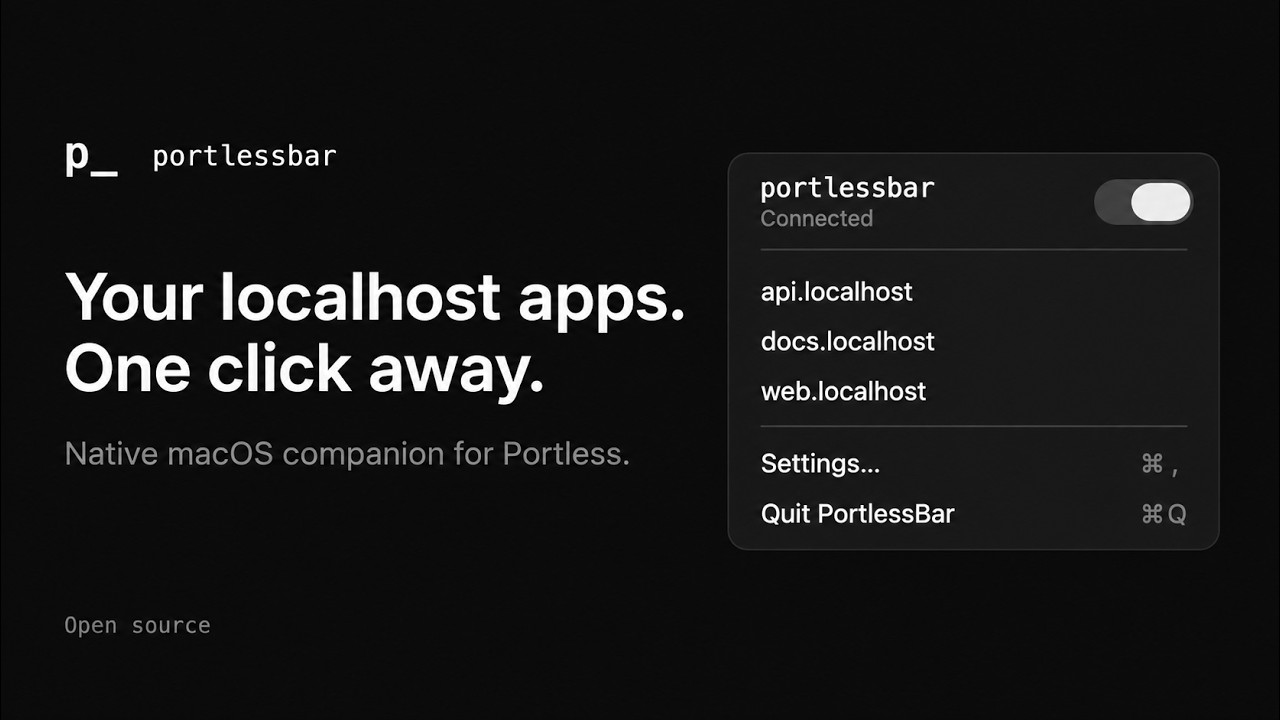
PortlessBar — Your Portless apps in the macOS menu bar
Akshit Kr Nagpal