I’m running into a blocker where my project is locked to use a Production Override of dist for its Output Directory, and I can’t disable or change it via the dashboard—even though I’ve defined the correct path everywhere else. Any guidance on how to break this override and get Vercel to honor my settings would be hugely appreciated!
Background
I’m working in a monorepo under men-work/nmmng-bootcamp, and my desired build artifacts live in men-work/nmmng-bootcamp/dist. By default, Vercel should serve that folder—but instead it’s hard-locked to serve from dist at the repo root. vercel.com
Project Configuration
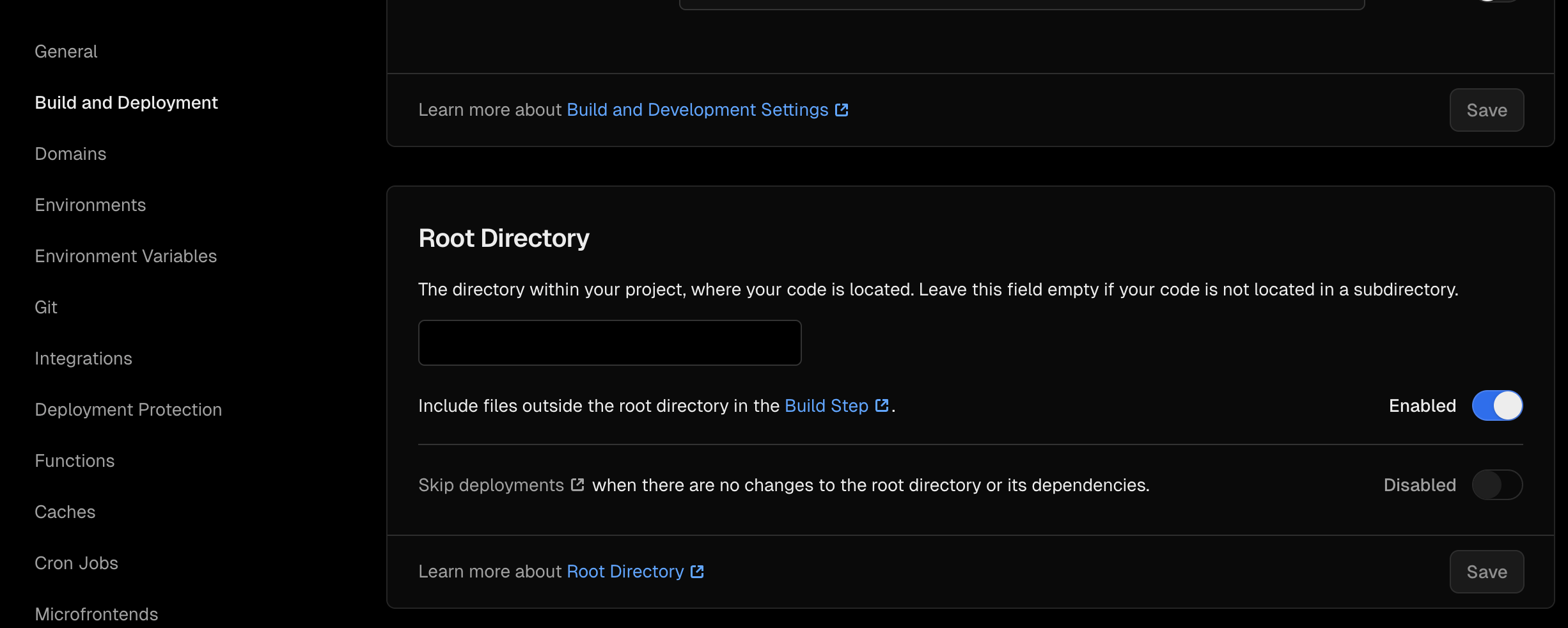
Root Directory: men-work/nmmng-bootcamp (configured in Dashboard > Settings) community.vercel.com
Build Command: pnpm run build (set both in Dashboard and vercel.json) vercel.com
vercel.json snippet:
json
{
  "buildCommand": "pnpm run build",
  "outputDirectory": "men-work/nmmng-bootcamp/dist"
}
This follows the format in the Build & Development Settings and per-deployment overrides docs vercel.comvercel.com.
What I’ve Tried
Dashboard Override Toggle
Visited Settings → Build & Development Settings → Framework Settings → Production Overrides.
The “Output Directory” toggle is greyed-out on dist and can’t be turned off community.vercel.com.
vercel.json Override
Added "outputDirectory": "men-work/nmmng-bootcamp/dist" as per the official docs vercel.com.
Removing & Re-adding vercel.json
Tried temporarily removing vercel.json entirely to reset to zero-config, then re-adding it with only the outputDirectory setting—no change github.com.
Repo Restructuring
Confirmed the path by running pnpm run build locally and verifying men-work/nmmng-bootcamp/distexists.
Double-checked that no other tools (e.g. Turborepo) are injecting their own overrides github.com.
Expected vs. Actual Behavior
Expected: Once the Production Override toggle is switched off, Vercel would deploy using men-work/nmmng-bootcamp/dist as defined in Project Settings or vercel.jsonvercel.com.
Actual: Dashboard still reports “Configuration Settings in the current Production deployment differ from your current Project Settings,” and continues to serve from root distcommunity.vercel.com.
Request for Help
Has anyone else run into a non-editable Output Directory override in their project?
Are there hidden caches or staging deployments where this override could be locked in?
What are the community-recommended steps to fully clear or reset Production Overrides so my monorepo path is honored?
My hope is to avoid opening a support ticket—if there’s a secret handshake or CLI command I’ve missed, please let me know!
Thank you in advance for any pointers.
I think setting the root directory to the subfolder should fix this issue. Have you tried setting your Root directory to men-work/nmmng-bootcamp from project settings:
I see. Have you recently made some changes before which the build was working correctly?
This most likely seems to be a Root directory + Output directory + Framework preset misconfiguration.
Can you please share your public repo or a minimal reproducible example. That will let us all work together from the same code to figure out what’s going wrong.
cannot associate what what changes broke it down. i keep working on Cursor and deploying on github. does this answer your question about the public repo?
I appreciate very much your help, i a newbie with this technologies.
Cursor attempted a fixed following your reply and now i am here:
Thank you for clarifying. If you have the correct settings (as shown in your screenshot), but redeploying still results in the “No Output Directory named ‘dist’” error, and there is nothing left to save or change, then the issue is almost certainly due to a stale or stuck Production Override in Vercel’s backend.
What’s Happening
Your settings are correct in the UI.
Vercel is still using an old override (possibly from a previous configuration) that is not visible or editable in the current UI.
This is a known Vercel issue, especially after moving project roots or deleting subfolders.
What You Should Do
1. Remove All Production Overrides
At the top of your Framework Settings, if you see a yellow warning about “Production Overrides,” click it.
Remove any overrides for Output Directory or Root Directory.
Save and redeploy.
2. If You Cannot Remove the Override
Sometimes, the override cannot be removed from the UI (it may be “stuck” in Vercel’s backend).
Contact Vercel Support and ask them to remove all Production Overrides for your project.
Mention that you have already set the correct Output Directory and Root Directory, but the build still fails with the “No Output Directory named ‘dist’” error.
Reference your project name and the error message.
3. Double-Check Your Repo
Make sure your dist folder is being created in men-work/ after build (which your logs show is happening).
Summary
You have done everything right.
The error is almost certainly due to a stuck Production Override in Vercel.
Contact Vercel Support to clear all overrides for your project.
You are not alone—this is a common Vercel issue after project restructuring. Once the override is cleared, your deployment will work perfectly.
Let me know if you want a template message to send to Vercel Support!
We haven’t heard back from you. If you’re still stuck, feel free to share any updates, logs, or additional context that might help us assist you better!