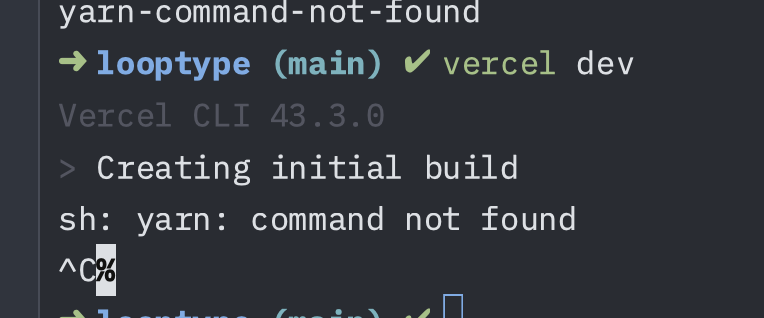
Solution: Remove the conflicting “dev” script from package.json
I had the same issue and found the root cause! The problem was having a "dev": "vercel" script in my package.json that was causing a conflict.
The Issue
When you have this in your package.json:
"scripts": {
  "dev": "vercel",  // <-- This causes the yarn fallback
  "build": "echo 'Static files ready'",
  "deploy": "vercel --prod"
}
Running vercel dev creates a circular dependency because the CLI tries to run npm scripts, finds the “dev” script that calls “vercel”, and falls back to yarn detection.
The Fix
Simply remove or rename the conflicting “dev” script:
"scripts": {
  "build": "echo 'Static files ready'",
  "deploy": "vercel --prod"
}
How I Found This
- Tested with the example repo @amyegan provided (express-vercel) - couldn’t reproduce the issue there
- Compared my package.json with the working example
- Identified the “dev” script as the difference
- Created a minimal reproduction repo: yarn-command-not-found-vercel
- Confirmed removing the “dev” script fixed the issue
Context
I’m hosting static files and most of my setup was generated using Claude Code, which is why it took me a while to identify this issue. Hope this helps others who run into the same problem!