I have a simple website that display content I pull from a Database. My website is slowly growing but definitely not big and the issue is that I see the major low metrics in speed analytics:
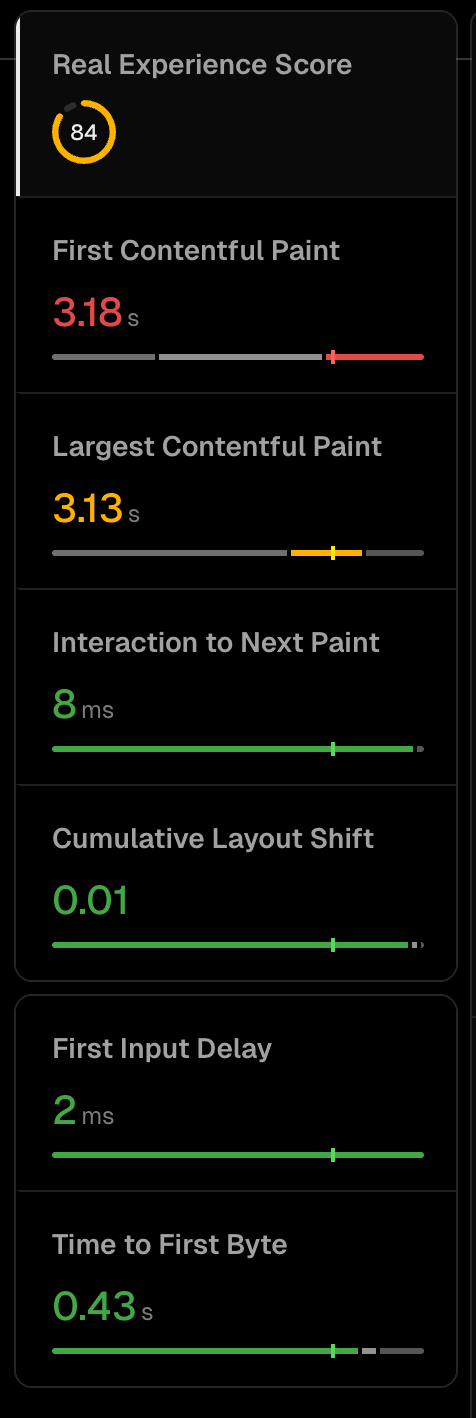
I’m assuimg that for such a simple website i should have a much better speed score and I’m asking help in debugging the issues.
Adding main parts of the page code:
const prisma = new PrismaClient()

const findQuestionWithCache = unstable_cache(async (url_title: string) => {

  return await await prisma.tab.findFirst({
    where:{
      urlTitle: url_title,
    },
    include: {
      categories:{

      },
      whistles:{
        take: 5
      }
    }
  }) ;
},
[],
{
  revalidate: 60*60*24*2
});

type Props = {
  params: { url_title: string }
  searchParams: { [key: string]: string | string[] | undefined }
}

export async function generateMetadata(
  { params, searchParams }: Props,
  parent: ResolvingMetadata
): Promise<Metadata> {
  // read route params
  const id = params.url_title
  const tab = await findQuestionWithCache(params.url_title)

  const previousImages = (await parent).openGraph?.images || []

  return {
    title: `${tab?.title} - Tin Whistle Tab & Backing Track Readable and Easy to play`
  }
}


export default async function Page({ params }: { params: { url_title: string } }) {

  const tab = await findQuestionWithCache(params.url_title) ?? notFound()
  const whistles = tab.whistles
  return (
    <main className="container max-w-screen-2xl flex flex-col justify-between">
        ...
          <div className="flex flex-col lg:flex-row lg:items-start">
            {/* Tabs Base */}
            <TabPage page={tab.notes}/>
            {/* Side Bar */}
            <SideBar tab={tab} whistles={whistles}/>
          </div>
       ...
    </main>
  );
}
