I’ve been building a website called Clinique Le RoseWood Aesthetic Medicine on v0 by Vercel for the past 20 days, and this morning it suddenly stopped working completely. I’m almost finished with the project and urgently need help.
The project was working fine, then without any changes on my end, it stopped loading. The preview panel is completely white and nothing renders.
Error Message
Error: The sandbox is temporarily unavailable and unable to install dependencies.
The system itself confirms this is not a code issue — my configuration is correct and Next.js is properly listed as a dependency. The problem is that the sandbox environment is failing to run pnpm install to create the node_modules folder.
What I’ve Tried
Renaming the project
Bumping the version number
Creating an .npmrc file
Rewriting package.json
Refreshing the page
Closing and reopening the project
Waiting and trying again later
Restoring to an earlier version (v112) — preview is still white
Current Status
Even after restoring to a previous version (v112), the preview panel remains completely blank. The sandbox still cannot run pnpm install, which means the issue is on Vercel’s infrastructure side, not in my code.
My Question
Has anyone else experienced this? Is there a workaround to get the sandbox working again, or a way to export and continue working elsewhere while Vercel fixes this? Any help is greatly appreciated. If u can help please please please email me: nisrine.elhila@gmail.com
My deployed project was working fine, but now I am getting the following error within the v0 preview/sandbox:
sh: line 1: next: command not found
What I’ve Tried
Updated and downgraded dependencies.
Refreshed the whole project.
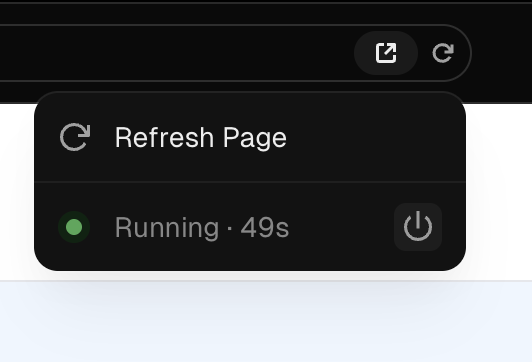
Restarted the dev server and sandbox.
Duplicated to a new chat and a new project.
All versions, new and old, return the same sh: line 1: next: command not found error.
Please fix this asap, since the new sandbox stuff really is just working really bad. The team should really focus on deploying good stable updates, this is just not it.
Hi there, sorry that you are facing this issue. You can open a Billing support case from Help to get your refund.
If you’ve already opened a case, rest assured our support team will help you as soon as they get to the ticket.
Customers on all plan types are welcome to open a new case for any billing issue. Just describe the problem to the AI chat bot and click the “Create Case” button that appears at the bottom of the chat window. The AI will autofill the form based on the info provided. Then, you can review and adjust any info in the form before submitting it to reach our billing experts.
I am also having the same issue. I do see that the status page recently reported an outage but it’s in a completely different region for me. Is anyone able to confirm that outage is what’s causing this for some users (myself included)?
I think i figured out a temporary “workaround”. Connect to Github and then restore a previous version and submit and merge the pull request. Then go back and restore the latest version and submit and merge the pull request again. For both times, you should be able to preview the version that you are restoring, so you know which branch you are pushing. But if you are trying to “push” your most recent changes and didn’t get a chance to (because of the outage), then this should help you see the most recent version once you merge whichever version you restore. hope that makes sense!
Hi @marnix-3108, glad it worked. Yes, there was a bug in sandbox for some users that our team patched earlier today but it required the users to restart the sandbox and dev server.